
Free
PLN 0 no time limit
- Up to 3 addresses
- Up to 3 contractors
- 1 staff account
- Unlimited units and reports
Tenants report an issue from their phone, the contractor gets the job as a link, and you keep the history of every address. No app needed.
Start for free Try it free for 7 days
Up to 3 addresses free · no card needed · above that PLN 5 net per address per month
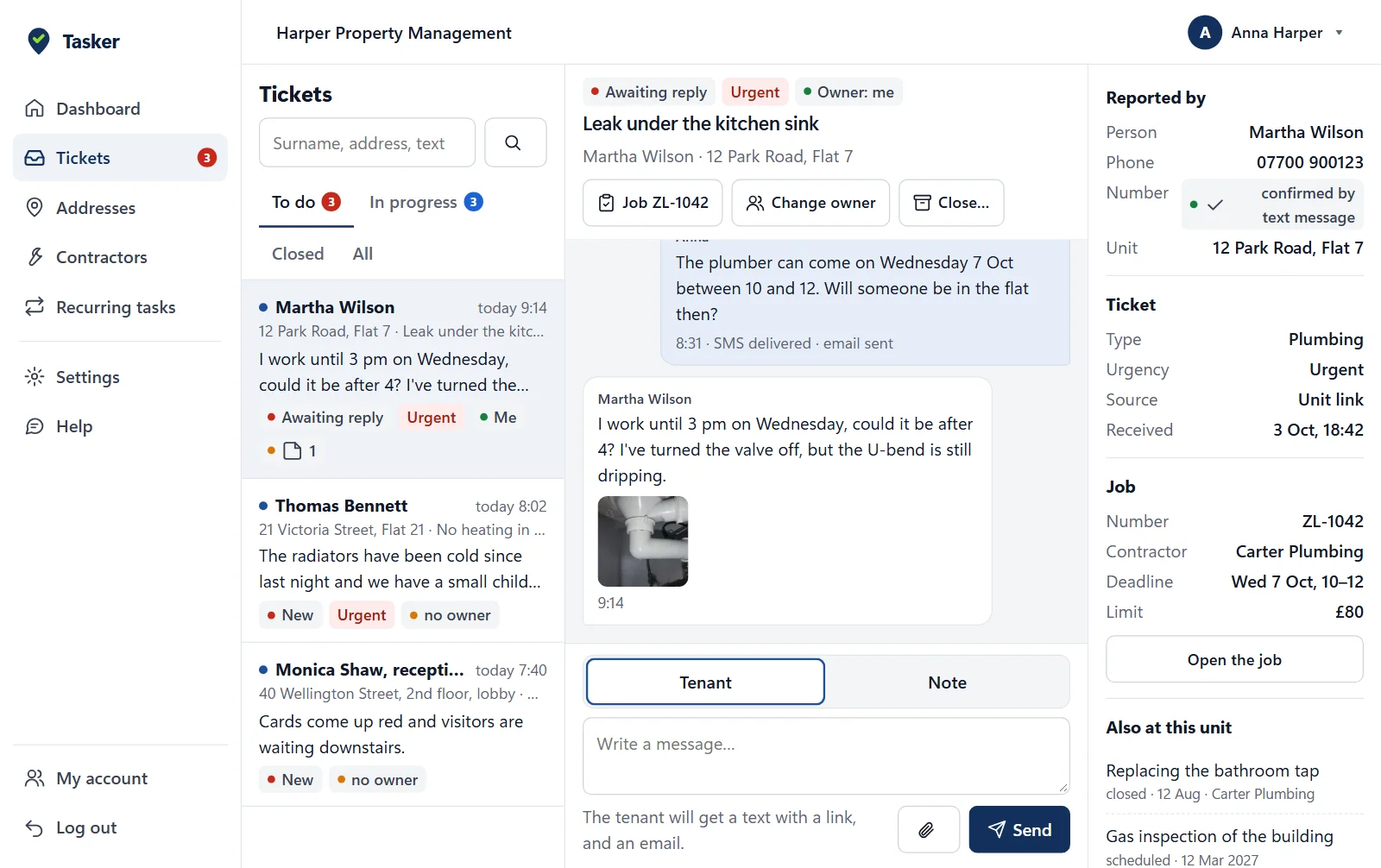
Manually or by importing a spreadsheet (Excel). Every address gets its own link and QR code.
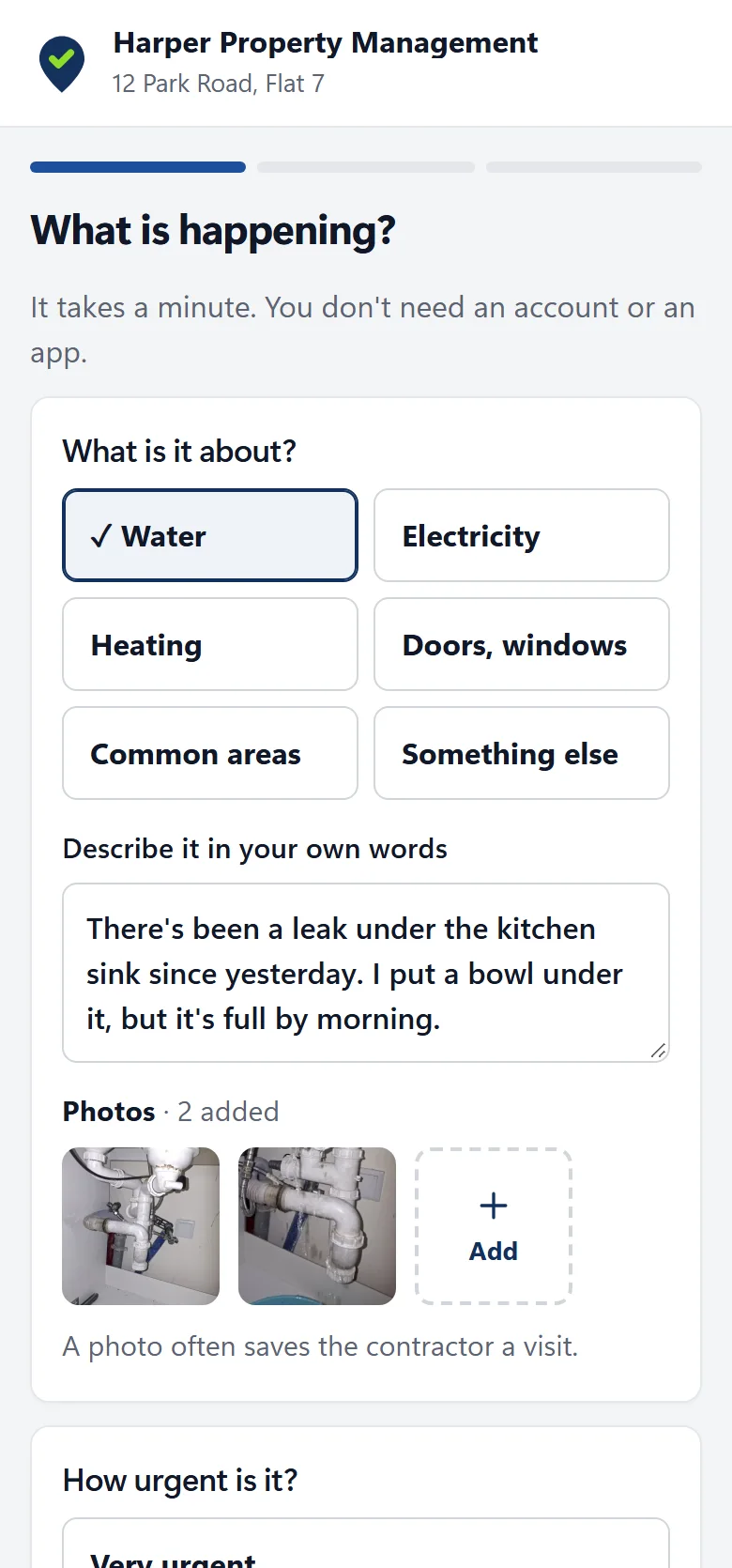
By email, by text message, on your website or as a QR code in the stairwell. The tenant describes the issue and adds a photo.
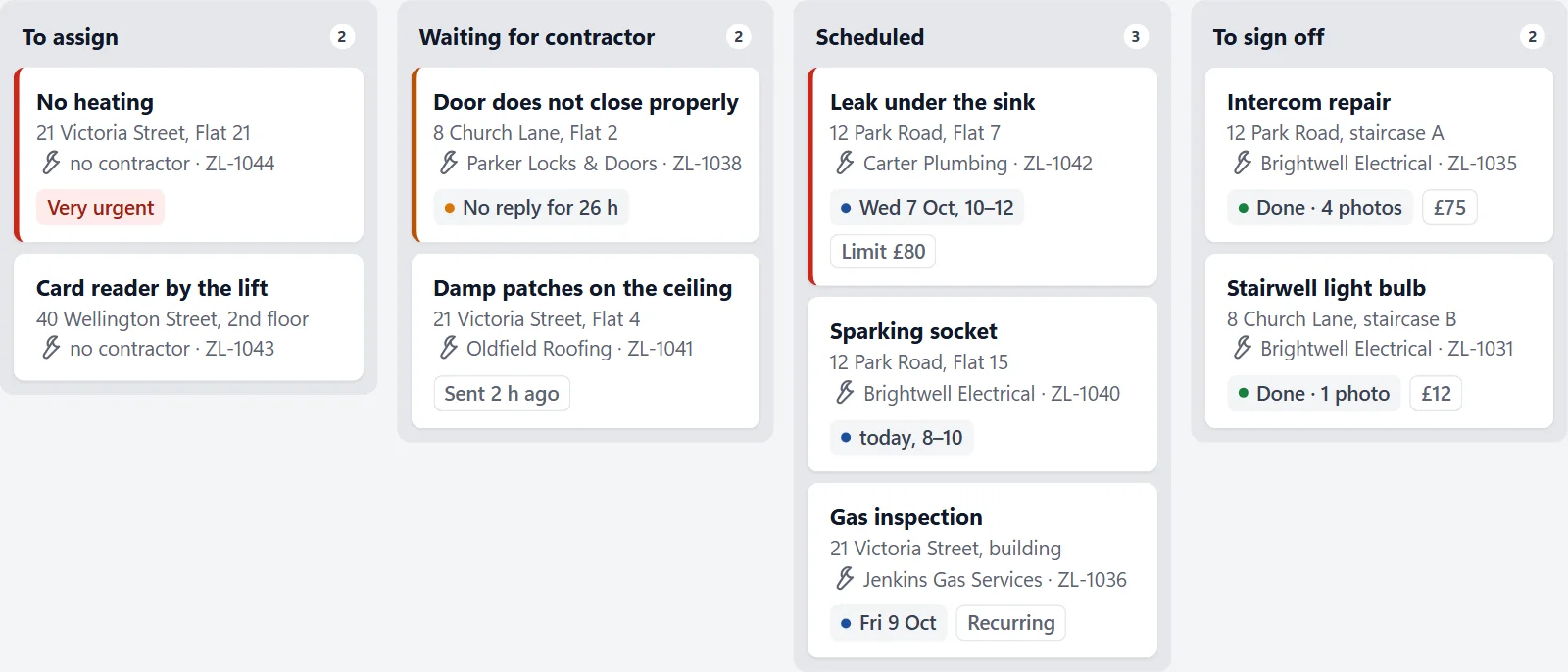
The contractor gets a link with the address, the description and the photos.
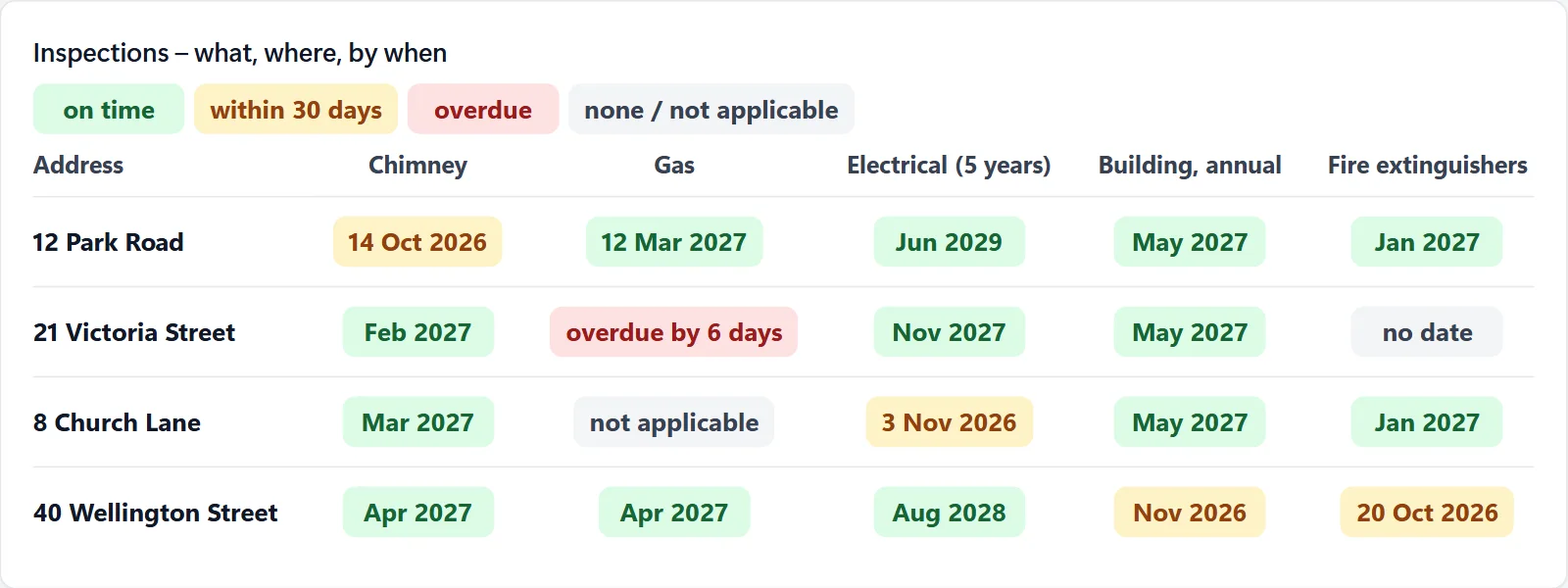
You set the cycle once. The task is created automatically before it is due.
Chimney, gas and electrical inspections, lift servicing, cleaning, snow clearing.
They see the address, the description and the photos. They accept with one tap – no account, no fees.
Tasker for contractors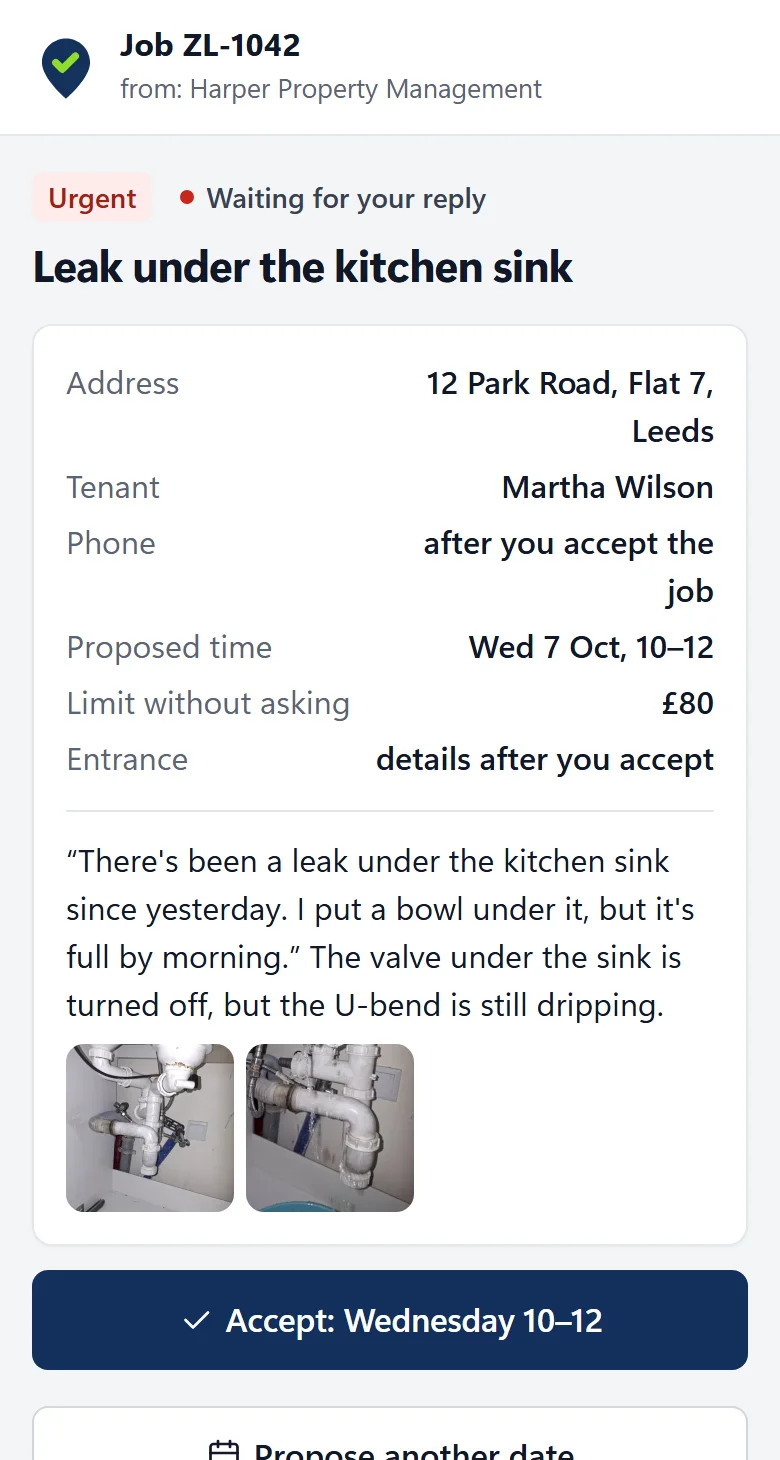
| With Tasker | Phone, email and spreadsheet | |
|---|---|---|
| Report | A form from a link or QR code, with a photo | A call or a text message, described from memory |
| Job | One click, the contractor replies via the link | Copying details and phoning around |
| Case status | Visible to the manager, the tenant and the contractor | You have to ask |
| Address history | All reports under the address and the unit | In the inbox and in notes |
| Inspections | Created automatically before the due date | A reminder in the calendar |
The contractor sees the tenant’s phone number only after accepting the job. The data processing agreement is part of the terms of service.
Above 3 addresses you pay PLN 5 net per month for each one. An address is a building, however many units it has.
PLN 0 no time limit
PLN 5 net per address per month (PLN 6.15 with Polish VAT)
Switch to Pro in your account when you need more addresses.
Custom features. Integrations, custom fields and reports. Priced individually.
Get in touchNo. They open the link or scan the QR code and fill in a short form in the browser. They check the status of the report via the link from the email or text message.
Nothing up to 3 addresses. Above that, PLN 5 net per month for every address, including the first 3. Examples are on the pricing page.
No. Tasker only handles reports and repair jobs and works alongside your rent software. You can upload addresses from a CSV or XLSX file.
You enter the report yourself in the panel. It lands on the same list and has a number, a status and a history like any other.
By email. Each person on the team chooses whether they want a message about every report, only about emergencies, or none.
The property manager is the data controller. Tasker processes the data on the manager’s behalf on servers in the European Union. You can download reports and addresses as CSV at any time.
Create an account and confirm your email address. The Free plan works right away, with no card and no fixed-term contract.
Create an account, add an address, send the link. The tenant will report the next issue on their own.
Cookies
We use cookies the site needs to work. With your consent we will also turn on Google statistics. Without consent everything works the same. Details in the privacy policy